Withdrawal Requests

Payment (Withdrawal Requests)

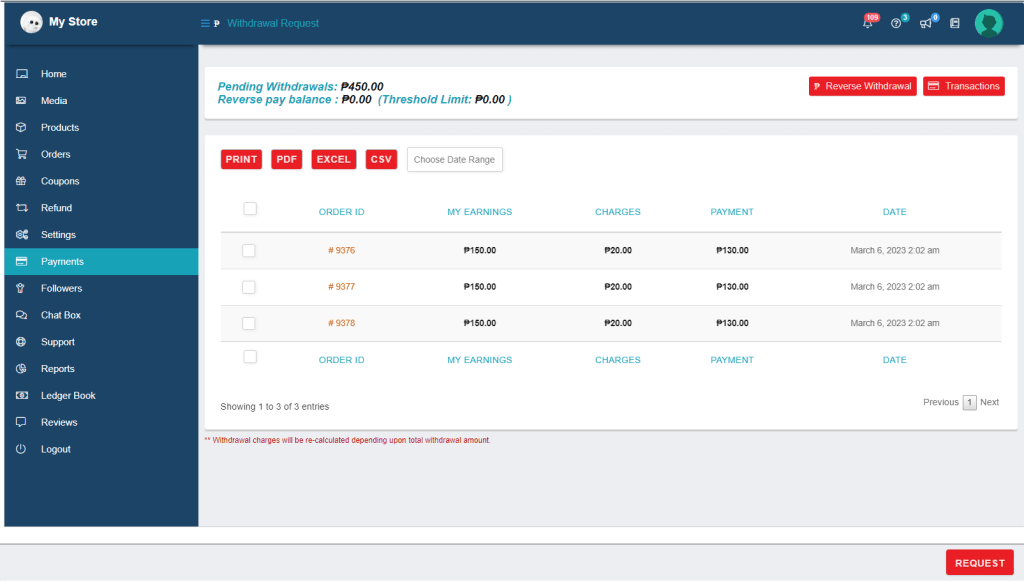
List of completed transactions from which the seller may request withdrawal. To navigate on my account, go to Store Dashboard > Payment > click Withdrawal > click checkbox on the specific order you want to request for withdrawal then click request button.

Reminder: Before you can request a withdrawal, all completed transactions must pass through a 7-day threshold, so make sure there are no pending refunds. Once proven, you will be penalized.

Pending Withdrawals

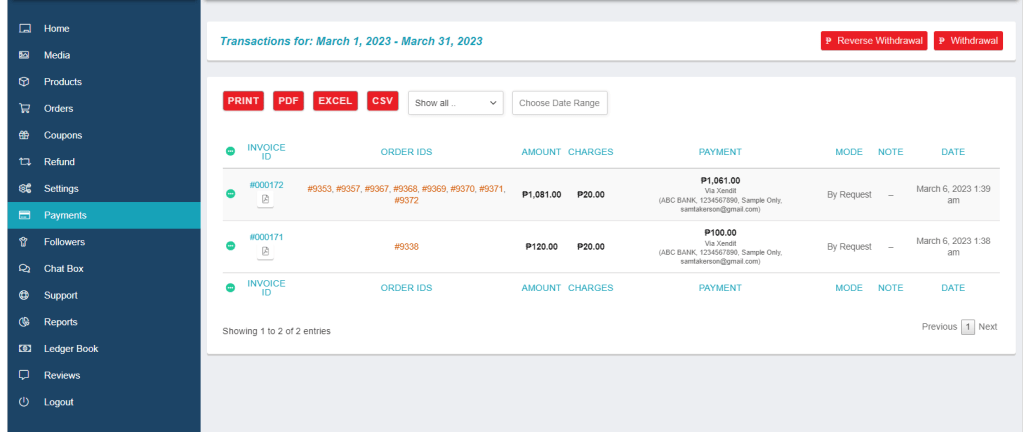
You can see all of the requested withdrawals as well as any fees that may apply. Each requested transaction costs 20 pesos, but you can save money if you request everything at once. Go to Store Dashboard > Payment > Click the dropdown menu then choose Show All. 

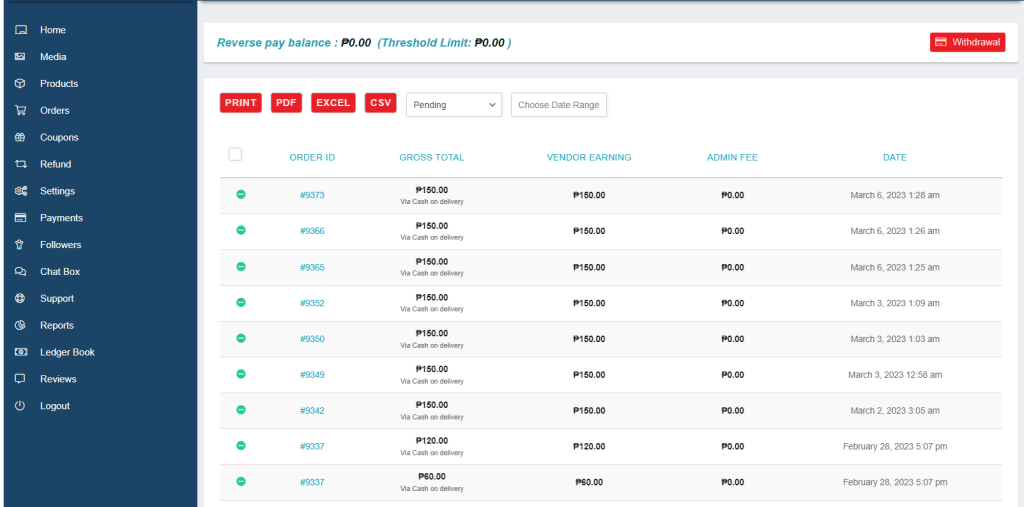
Reverse Withdrawals

Here, you can view a list of all transactions that used Cash on Delivery. As you get paid directly, there is no need to request a withdrawal. Go to Store Dashboard > Payments > Reverse Withdrawals.

Withdrawal History

Here, you may see every completed transaction that is available for withdrawal requests. Go to Store Dashboard > Payment > Withdrawal > Transaction then select the orders you want to request for withdrawal.Â